Tutorial
December 28, 2025
10 min read

The Complete Guide to Store Locator Customization
The Complete Guide to Store Locator Customization

The Complete Guide to Store Locator Customization

Your store locator should feel like a natural extension of your brand, not a generic widget slapped onto your website. With Mapify's powerful customization options, you can create a store locator that matches your brand perfectly.

This comprehensive guide covers every customization option available.

Visual Customization

Map Styles (20+ Options)

Choose from dozens of professionally designed map themes:

Light Themes:

  • Clean & Minimal
  • Bright & Modern
  • Soft Pastels
  • Professional Gray
  • Dark Themes:

  • Dark Mode
  • Midnight Blue
  • Charcoal Professional
  • Black & Gold
  • Colorful Themes:

  • Retro
  • Ocean Blue
  • Forest Green
  • Sunset Orange
  • Specialty Themes:

  • Satellite View
  • Terrain
  • Black & White
  • High Contrast (accessibility)
  • Each theme can be further customized with your brand colors.

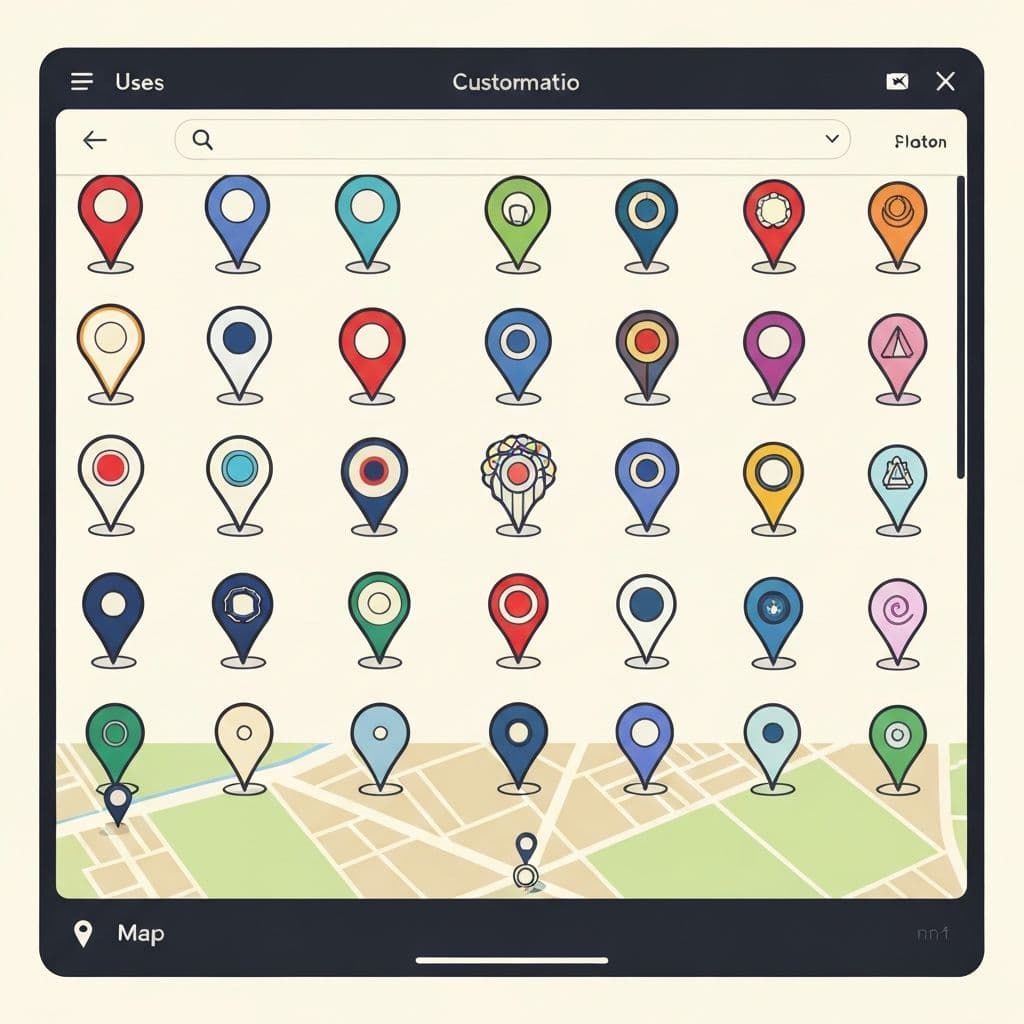
    Custom Pin Design

    Pins are your most visible branding opportunity. Customize:

    Shape Options:

  • Classic marker
  • Circle
  • Square
  • Diamond
  • Custom icon upload
  • Color Customization:

  • Primary pin color
  • Border color
  • Selected state color
  • Hover state color
  • Different colors for location types
  • Icon Integration:

  • Upload your logo as the pin icon
  • Use Font Awesome icons
  • Custom SVG icons
  • Text-based pins (store number, etc.)
  • Size & Scale:

  • Small (for high-density maps)
  • Medium (default)
  • Large (for emphasis)
  • Auto-scale based on zoom level
  • Color Scheme Customization

    Make every element match your brand:

    Widget Colors:

  • Background color
  • Card/panel colors
  • Border colors
  • Shadow colors
  • Text Colors:

  • Headers
  • Body text
  • Labels
  • Links
  • Hover states
  • Button Colors:

  • Primary buttons
  • Secondary buttons
  • Button text
  • Hover/active states
  • Status Badge Colors:

  • Open (green)
  • Closed (red)
  • Closing soon (yellow)
  • Custom status colors
  • Typography

    Control every font in your store locator:

  • **Headings** - Size, weight, family
  • **Body text** - Size, line height, family
  • **Labels** - Style, size, capitalization
  • **Buttons** - Size, weight, letter spacing
  • Mapify supports all Google Fonts plus custom font uploads.

    Layout & Structure

    Widget Layout Options

    Full-Width Map:

    Immersive map experience with overlay panel

    Split View:

    Map on left, location list on right (or reversed)

    Tab View:

    Switch between map view and list view

    Compact View:

    Embedded widget for sidebar or footer

    Full-Page:

    Dedicated store locator page layout

    Search Bar Customization

    Position:

  • Top center
  • Top left
  • Top right
  • Floating overlay
  • Below header
  • Style:

  • Rounded
  • Square
  • Pill-shaped
  • Custom border radius
  • Features:

  • Autocomplete suggestions
  • Search by current location
  • Advanced filters toggle
  • Clear/reset button
  • Location Card Design

    Customize how each location appears:

    Card Style:

  • Modern elevated cards
  • Flat design
  • Bordered cards
  • Minimal (text only)
  • Information Display:

  • Compact (essentials only)
  • Standard (balanced)
  • Detailed (all information)
  • Custom field selection
  • Image Display:

  • No images
  • Small thumbnail
  • Large banner image
  • Gallery slider
  • Filter Panel

    Filter Types:

  • Dropdown menus
  • Checkboxes
  • Toggle switches
  • Search tags
  • Range sliders (for distance)
  • Filter Categories:

  • Location type
  • Services offered
  • Amenities available
  • Currently open
  • Distance range
  • Filter Position:

  • Sidebar
  • Top bar
  • Collapsible panel
  • Modal overlay
  • Interactive Features

    Click Behaviors

    Customize what happens when users interact:

    Pin Click:

  • Show info window
  • Highlight in list
  • Zoom to location
  • Open location details page
  • Custom URL redirect
  • List Item Click:

  • Center on map
  • Show directions
  • Call phone number
  • Visit store website
  • Custom action
  • Directions Button:

  • Open Google Maps
  • Open Apple Maps
  • Open Waze
  • In-widget directions
  • User choice prompt
  • Animation & Effects

    Entrance Animations:

  • Fade in
  • Slide in
  • Zoom in
  • Bounce
  • None (instant load)
  • Hover Effects:

  • Elevation shadow
  • Scale up
  • Border highlight
  • Color change
  • Custom effects
  • Pin Animations:

  • Drop animation on load
  • Bounce when selected
  • Pulse for featured locations
  • Custom animations
  • Mobile Experience

    Mobile-Specific Options:

  • Bottom sheet layout
  • Full-screen map
  • Swipe gestures
  • Touch-optimized buttons
  • Simplified interface
  • Responsive Breakpoints:

    Custom layouts for:

  • Desktop (1200px+)
  • Tablet (768px-1199px)
  • Mobile (below 768px)
  • Content Customization

    Location Information Fields

    Choose which fields to display:

    Basic:

  • Address
  • Phone
  • Email
  • Website
  • Extended:

  • Opening hours
  • Services offered
  • Amenities
  • Store manager
  • Store number
  • Description
  • Custom Fields:

    Add unlimited custom fields:

  • Special instructions
  • Parking information
  • Public transit details
  • Store photos
  • Team bios
  • Any other information
  • Multi-Language Support

    Automatic Translation:

  • Button labels
  • Field names
  • Status messages
  • Error messages
  • Custom Translations:

    Upload your own translations for:

  • Location descriptions
  • Custom fields
  • Special instructions
  • Search & Sort Options

    Default Sort:

  • Distance (closest first)
  • Alphabetical
  • Most popular
  • Recently added
  • Custom order
  • Secondary Sort:

  • By city/state
  • By rating
  • By availability
  • Advanced Customization

    Custom CSS

    For complete control, add custom CSS:

    /* Override any styling */

    .mapify-pin {

    border: 3px solid gold;

    }

    .mapify-card {

    box-shadow: 0 10px 30px rgba(0,0,0,0.2);

    }

    JavaScript API

    Programmatic control with JavaScript:

    // Focus on specific location

    mapify.focusLocation(locationId);

    // Filter by category

    mapify.filterByCategory('retail');

    // Get user's closest location

    mapify.getClosestLocation();

    Webhook Integrations

    Connect Mapify to your business systems:

  • Sync with inventory systems
  • Update hours from POS
  • Track visitor analytics
  • Integrate with CRM
  • Customization Templates

    Don't want to start from scratch? Choose a template:

    Retail Template:

    Perfect for stores and boutiques

    Restaurant Template:

    Optimized for multiple locations with menus

    Service Business Template:

    For businesses with appointment scheduling

    Medical/Healthcare Template:

    HIPAA-compliant with patient resources

    Real Estate Template:

    Property listings with detailed information

    Each template includes:

  • Pre-configured colors
  • Optimized layout
  • Relevant custom fields
  • Industry-specific features
  • Best Practices

    Do's:

    ✅ Match your brand colors closely

    ✅ Use high-quality images (minimum 800px wide)

    ✅ Test on mobile devices

    ✅ Keep custom fields relevant

    ✅ Use clear, actionable button text

    Don'ts:

    ❌ Use too many colors (stick to 2-3 main colors)

    ❌ Overcrowd the interface with every option

    ❌ Use tiny text (minimum 14px for body)

    ❌ Forget to test accessibility

    ❌ Make users hunt for key information

    Getting Started with Customization

    Mapify makes customization easy with:

    1. Visual Editor - See changes in real-time

    2. Templates - Start with a professional design

    3. Preview Mode - Test before publishing

    4. Backup/Restore - Never lose your work

    5. Copy Settings - Duplicate across widgets

    Your Perfectly Customized Store Locator Awaits

    With Mapify's extensive customization options, you can create a store locator that feels like it was custom-built for your brand—because it is.

    Start with a template or build from scratch. Every color, every font, every interaction is under your control.

    Try Mapify free for 14 days and create your perfect store locator today.

    Ready to transform your Wix website?

    Add a professional store locator to your site in under 30 seconds. No API key required.